Research Hub: Pagaleve’s research stopped depending on who remembers it
I designed and built Pagaleve’s Research Hub, with Lovable and Claude, because our research ended as decks nobody opened again. Now every study goes into one archive that the team can question, with a source on every answer. Designers with no research training run studies with it, people outside design look things up on their own, and next quarter’s research roadmap comes out of it as Jira cards.
- Research ops
- Knowledge management
- LGPD by design
- Company
- Pagaleve, a Brazilian buy-now-pay-later fintech
- My role
- Specialist Product Designer · concept, design and build
- Users
- The Product Design chapter and anyone at Pagaleve
- Credits
- Requested by design leadership · built with help from the team
- Research Hub (Lovable)
- The hub’s MCP server
- A Claude skill for end-to-end research
- Ask-the-archive chat with sources
- One report format
- A guide that gets people started
- A Claude connector for the whole company
- An AI research roadmap that ships to Jira
- LGPD guardrails by default
01 · The problem
Research got presented, praised and forgotten.
I’ve been doing research for more than ten years, and the hardest part has always been what happens after the presentation. At Pagaleve, findings lived in decks spread across Drive. A PM would ask a question we had already answered, and a new hire had no way to learn what we already knew about our customers, short of asking the one person who ran the study.
At the same time, more people on the team wanted to run research, including designers who had never written a survey. And the raw material of research, spreadsheets with customer IDs and session recordings with faces and voices, sat one click away from the slides anyone could open. Under Brazil’s data protection law (LGPD), that can’t depend on people remembering to be careful.
Nobody could find past studies
The answer was on slide 27 of a deck. To find it, you had to remember the file name.
Every study started from zero
No shared process and no shared format. Quality depended on who ran it.
Personal data next to the slides
Protection depended on someone remembering to lock a file.
02 · The bet
Make publishing part of running a study, so the archive builds itself.
Repositories die because publishing is extra work. So publishing became the last step of doing research, done by the same tool that runs the study.
Four principles guided every decision, from the folder structure to the last toggle.
03 · The system
One loop, from what we learned to what we learn next.
A Claude skill guides the research, Google Drive keeps the files, and the Research Hub, built in Lovable, turns both into something people can browse, ask and plan with. The pieces talk through an MCP server I built into the hub (MCP, the open standard that lets an AI assistant call a tool). So the archive does three jobs. The skill reads it at the start of a study and publishes to it at the end. Anyone at the company can connect it to their own Claude. And next quarter’s roadmap is built from it.
Claude skill
Walks any designer from question to report. Reads the archive before a study and publishes the insights after it.
Google Drive
The team’s research folder, organised by area and study.
Research Hub
Built in Lovable, with its own MCP server. Standardised reports, themes tagged on import, a timeline of everything we’ve learned, and privacy rules applied to every file.
Ask the archive
In the hub’s chat or in anyone’s Claude, through the connector. Every claim links to its study.
Research roadmap
AI suggests next quarter’s studies from past findings. The team prioritises, and each study lands in Jira.
04 · The hub
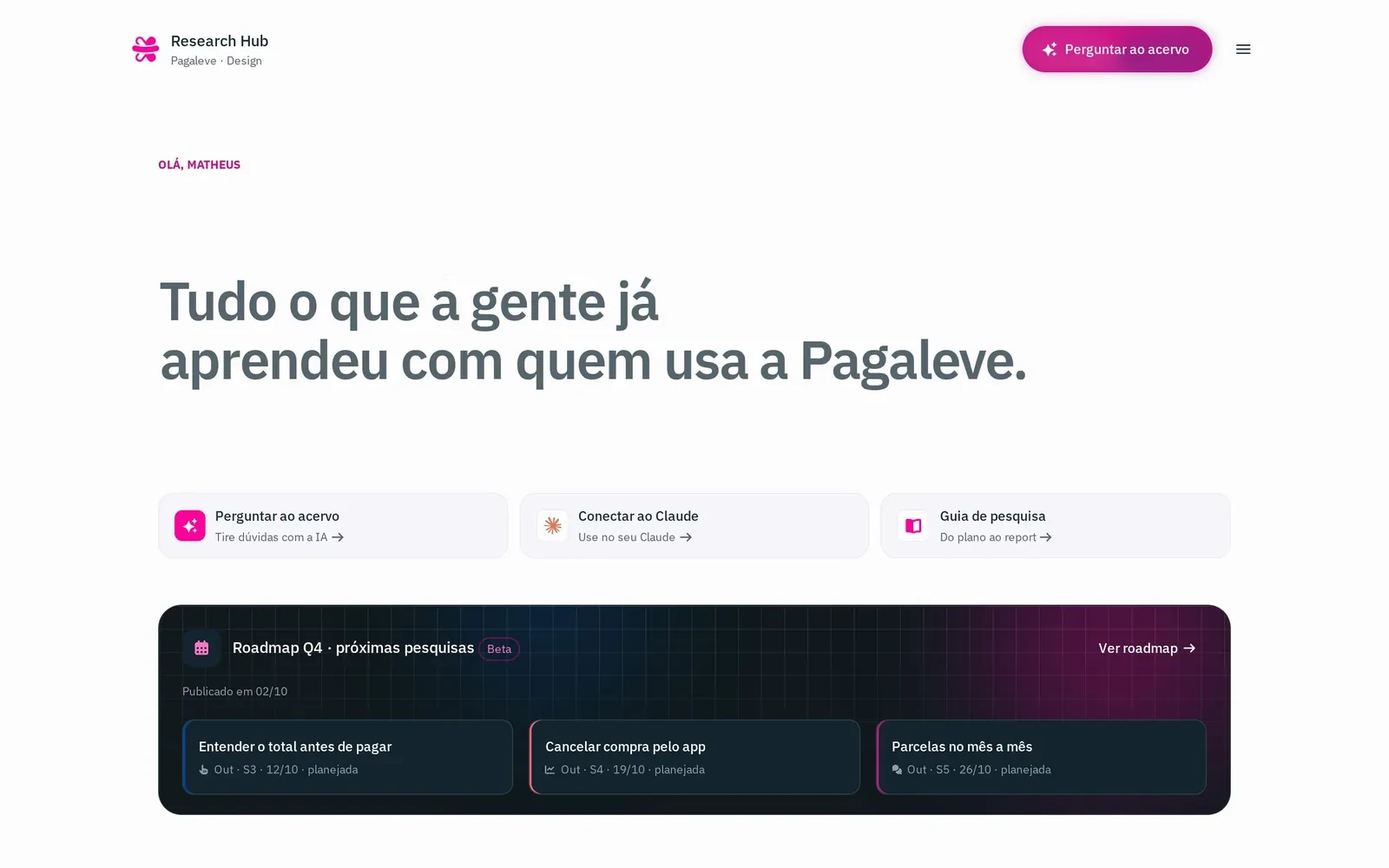
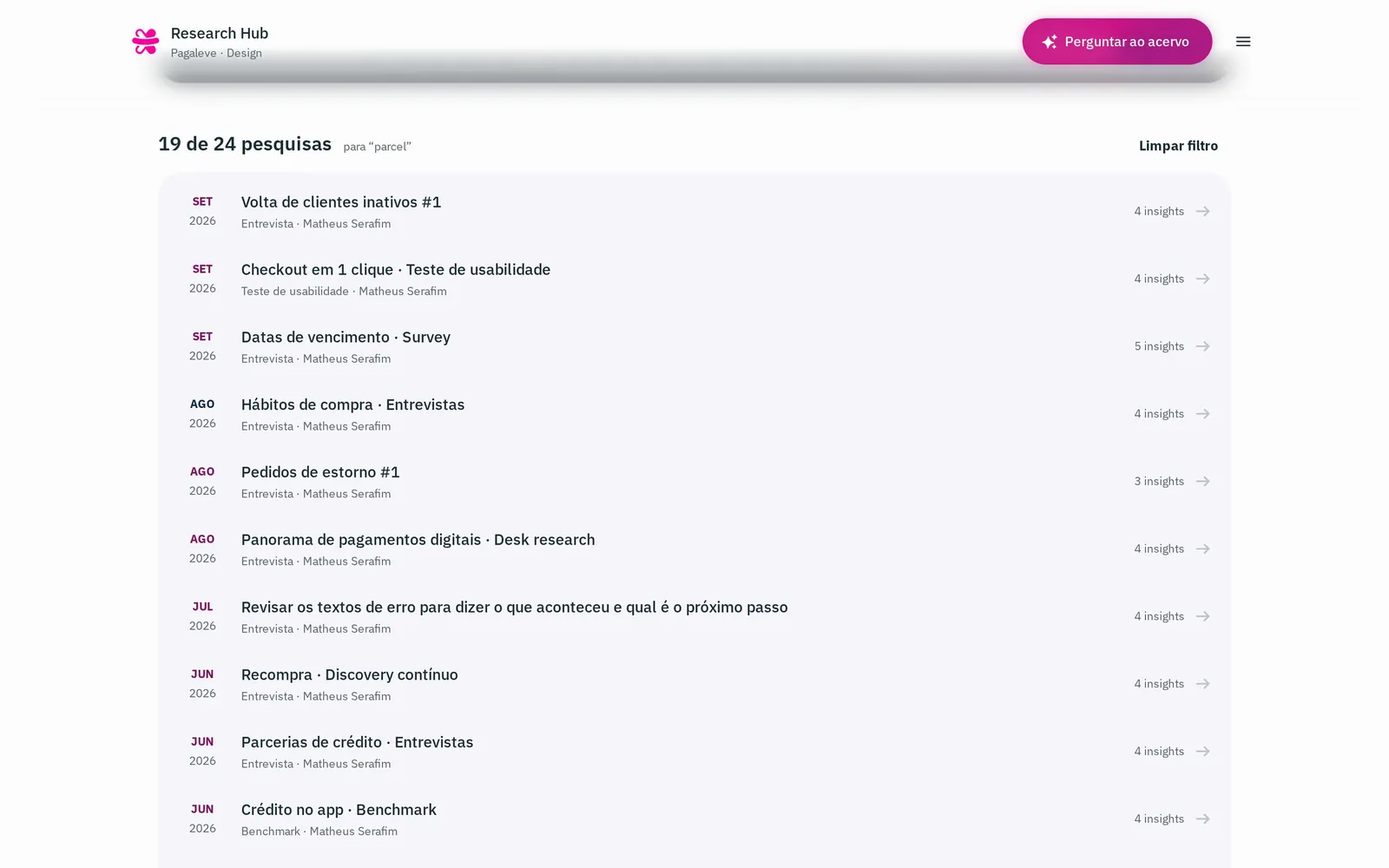
The team’s Drive folders, turned into a product.
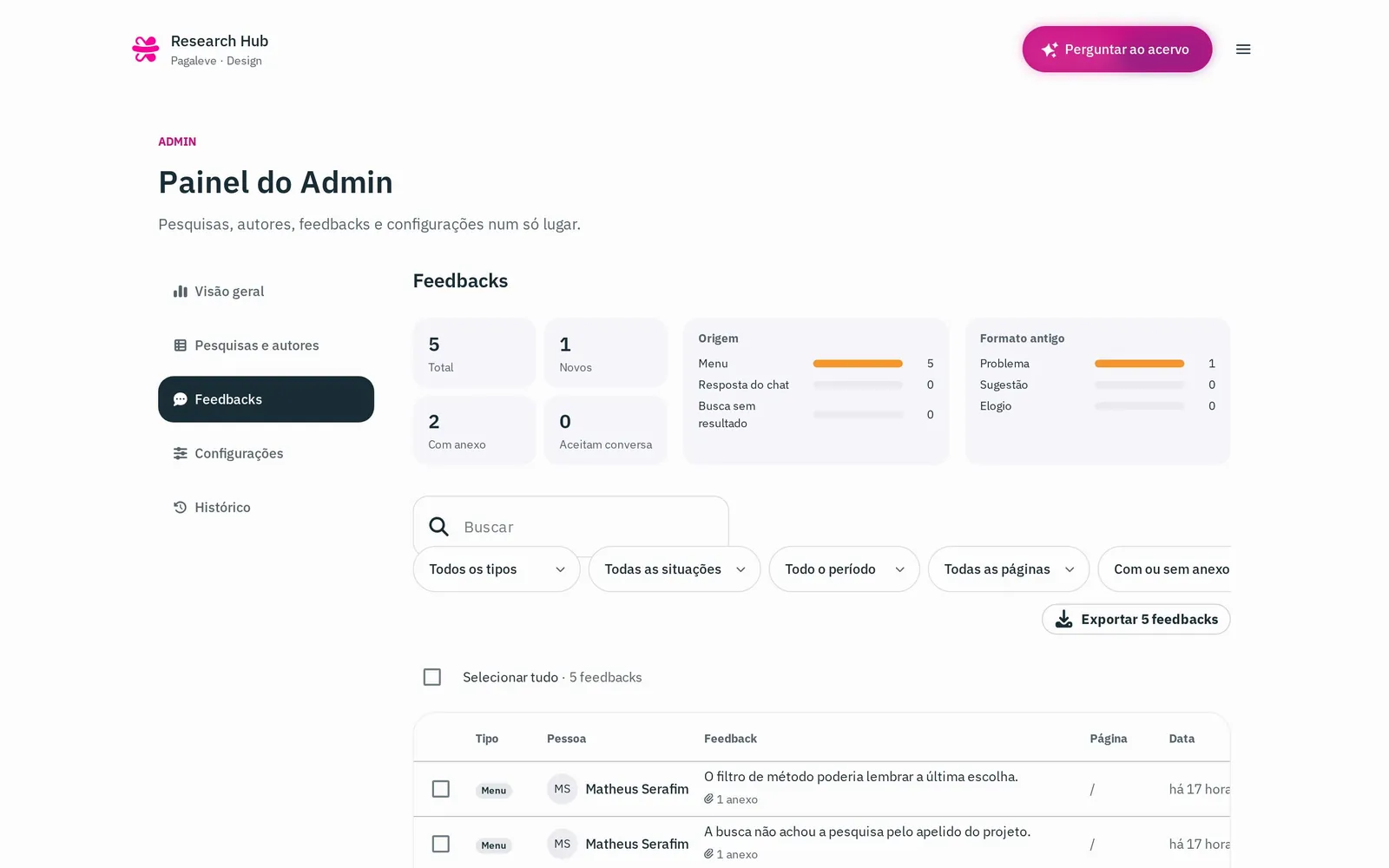
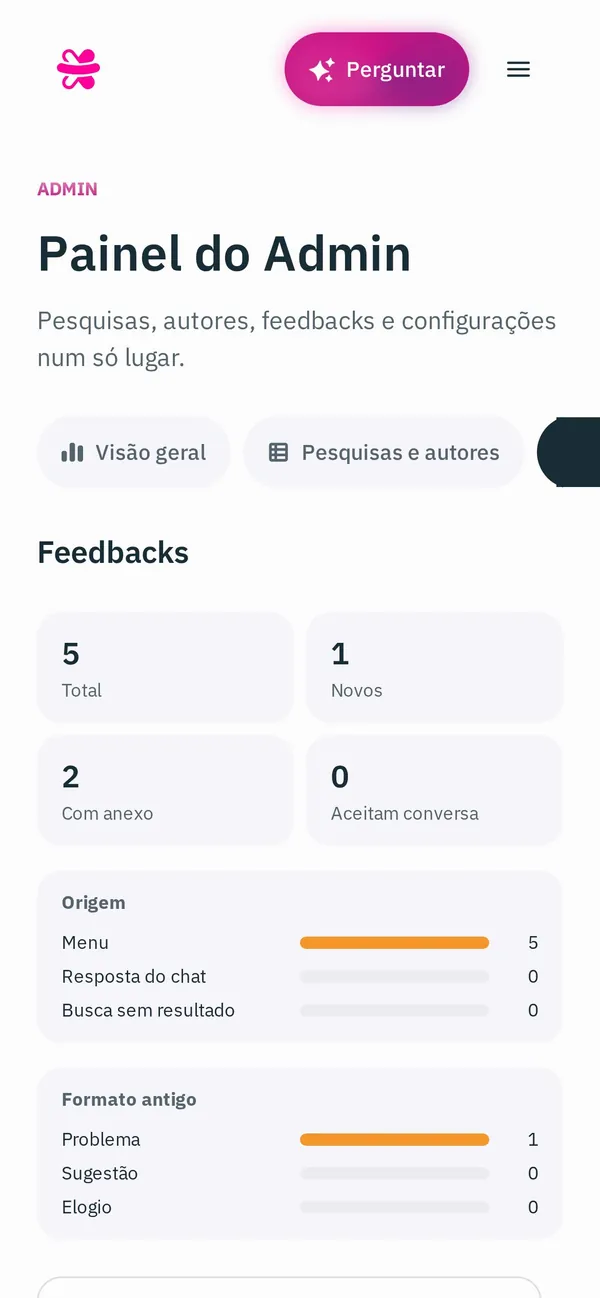
The hub reads the structure the team already used. A folder is an area, a subfolder is a study (date and method come from its name), and a resumo.md becomes the summary and insights. Drop in a .zip, a PDF, a deck or a spreadsheet. Nothing goes live before you review what each file turns into. Behind it, an admin panel keeps studies, authors, feedback and settings in one place.
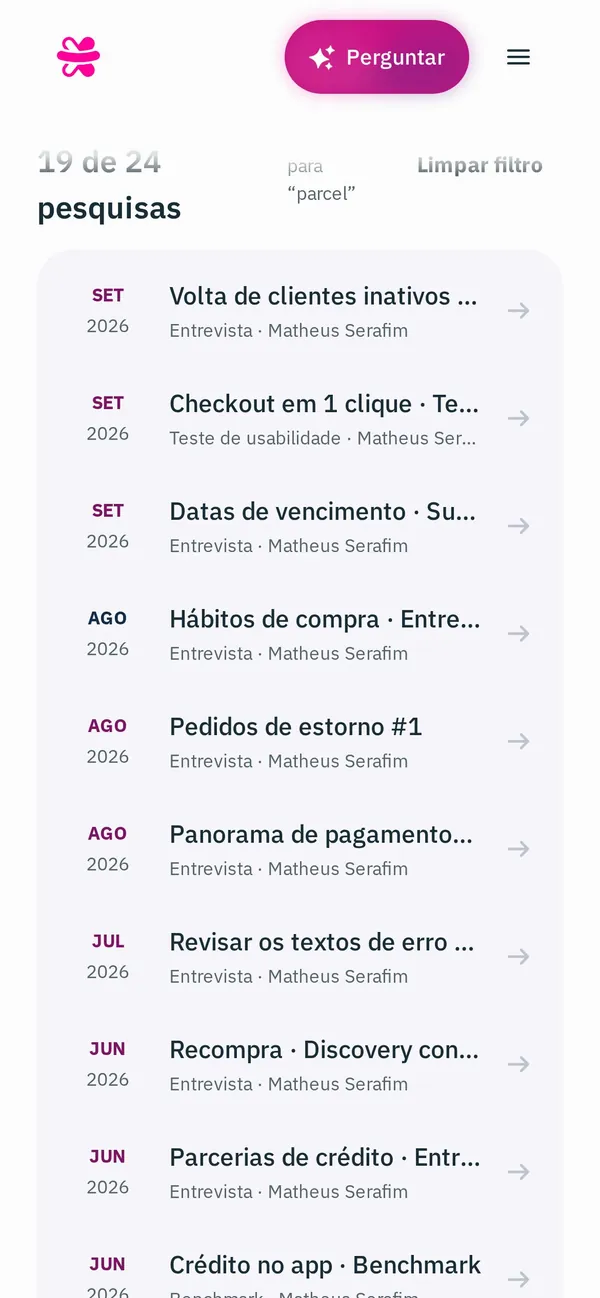
Antes de publicar, veja o que cada arquivo vira
Proteção LGPD aplicada automaticamente. Planilhas e gravações ficam trancadas para quem enviou. O resto do time vê o resumo, os achados e as citações, nunca a pessoa por trás delas.
The review step. Each file shows what it becomes and who can open it, before anything is published.
Themes tag themselves
Tags are pulled from each study on import, so “most researched themes” is always current.
Studies, month by month
A timeline shows what the company was curious about, and when.
Open to other tools
Besides the MCP server, a REST endpoint with a key lets any tool publish a study without opening the hub.
05 · The skill
How I run research, packaged for any designer.
I packaged how I run research into a Claude skill. It works out which stage you’re in, does that stage’s work and moves on to the next. It only stops for what a person has to do (sign in, press send, approve the insights), and says so in a short “your turn” card. And it talks to the hub through MCP: it reads the archive at the start and publishes the insights at the end, on its own.
- 01
Plan
From a vague question to hypotheses and a script.
- 02
Review
Reads similar past studies in the hub, then checks the script for bias.
- 03
Build the form
Generates the survey and its links.
- 04
Send
Audience, invite and CRM approval. No one gets a third email that day.
- 05
Field
Daily scoreboard and auto-close, on a schedule.
- 06
Debrief
Hypothesis scoreboard and tweet-sized insights.
- 07
Approve
The only required stop. A person decides what’s true.
- 08
Report + publish
Deck and PDF, then the insights go live in the hub.
→ research-hub · list_studies(“reminders, tone, collections”)
✓ 2 similar studies found · 1 question already answered, cut from the script
# end of the same study
✓ 4 insights approved · anonymised_answers.csv ready
→ research-hub · publish_study(report.md)
✓ Published. Confidential files locked to uploader.
The skill runs the whole process for you. A designer who has never written a survey gets the same bias review, the same email guardrails and the same report format as a seasoned researcher.
The skill uses the archive directly. At the start, it reads every past study and flags anything similar, so a repeated question is cut before it reaches a customer’s inbox. At the end, it publishes the approved insights itself. That is the step where most repositories die, and here nobody has to do it.
These are the connector’s real tools. The arguments are simplified.
A skill only helps if people install it. So the hub got a guide, a five-minute read next to the skill download. It helps you write the first question in four parts (audience, moment, doubt and the decision it informs) and turns it into a request ready to paste into Claude. It also sets the house rules: the skill suggests, people decide, and customer data never leaves the room.

Guia rápido · 5 minutos
Toda dúvida do time
pode virar um estudo.
Perguntar no canal qual versão o time prefere já é pesquisar, só que sem método. Este guia mostra o caminho completo, com a skill fazendo o trabalho pesado.
A ferramentaUma skill no Claude que conduz o estudo do começo ao fim.
O primeiro passoInstale e escreva a dúvida como contaria a um colega.
Sempre com vocêDecidir o que perguntar, para quem, e quando enviar.
Instalar a skillEscreva sua pergunta em quatro partes
PúblicoQuem tem saldo na carteira
+MomentoNo checkout
+DúvidaSe usaria o saldo pra pagar
=DecisãoO novo botão de pagamento
Quero entender se quem tem saldo na carteira usaria esse saldo no checkout. A decisão que isso informa é o novo botão de pagamento.
01PlanoA decisão vem antes das perguntas.
02RevisãoViés e o que o acervo já responde.
03FormulárioMontado direto do roteiro.
04EnvioBase, convite e aprovação.
05IncentivoPedido quando o campo fecha.
06AnáliseHipótese por hipótese.
07RelatórioE publicado no hub.
The guide. Four fields become a request ready to paste into Claude, next to the skill download.
06 · The format
Every study, the same six sections.
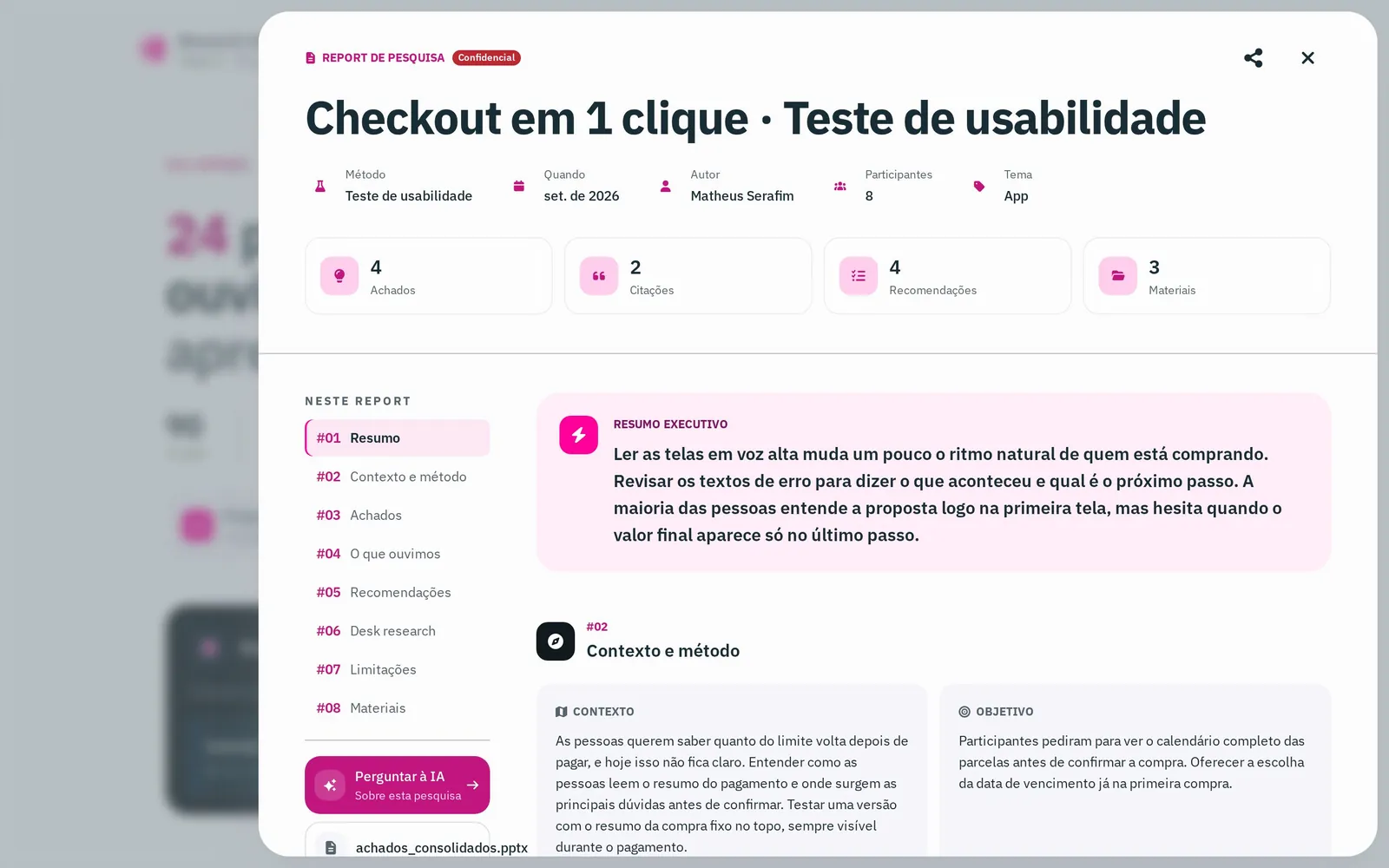
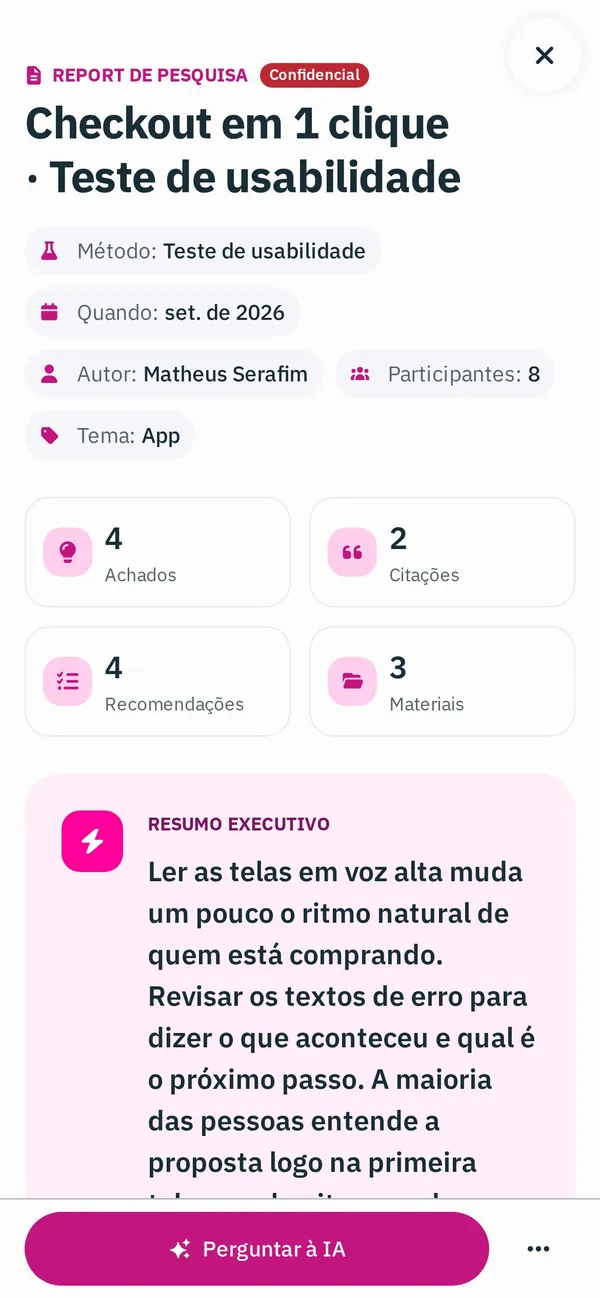
Interviews, a survey or a usability test: every study is written up the same way. You can compare two studies or skim one in a minute, and the detail is there when you need it.
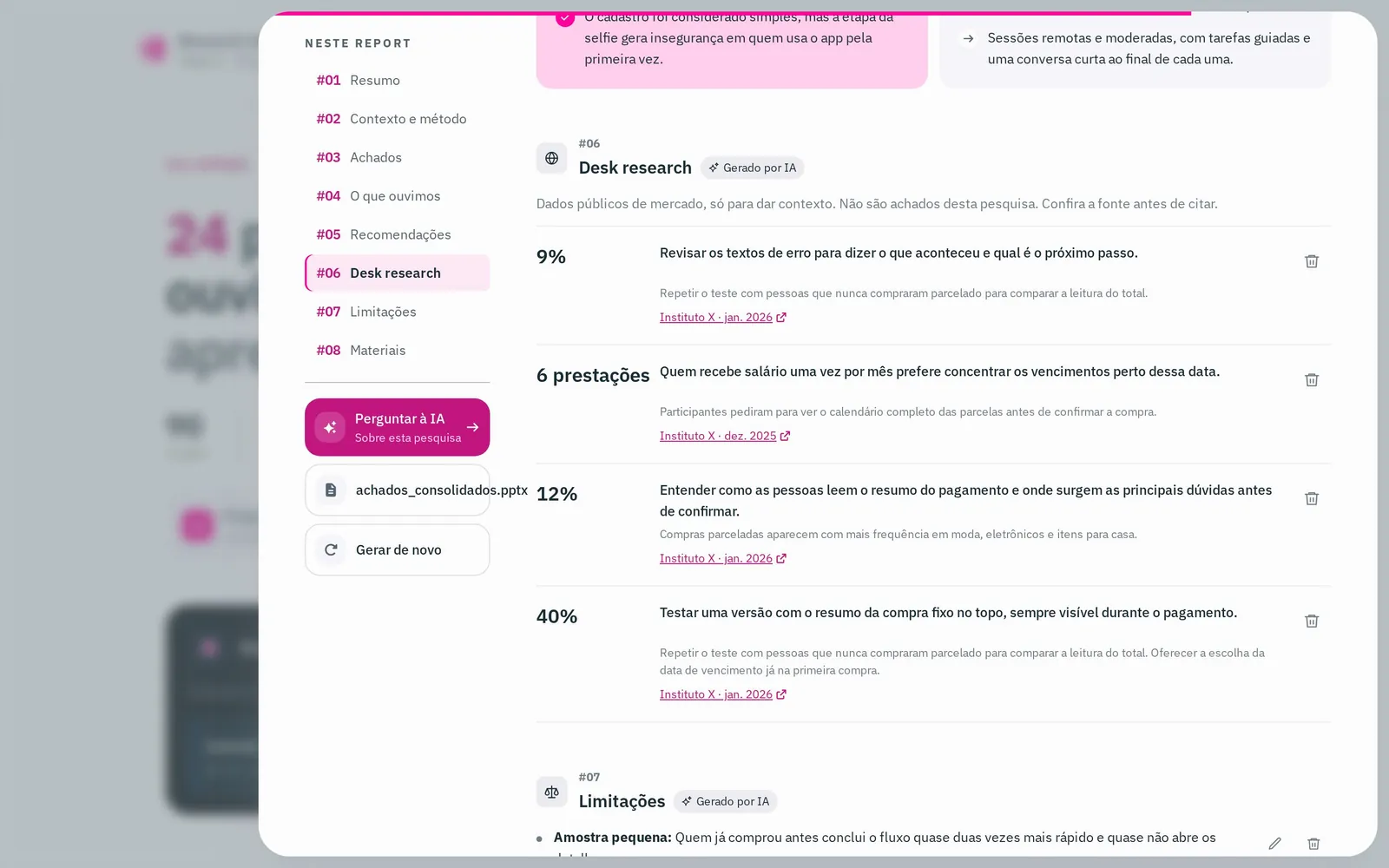
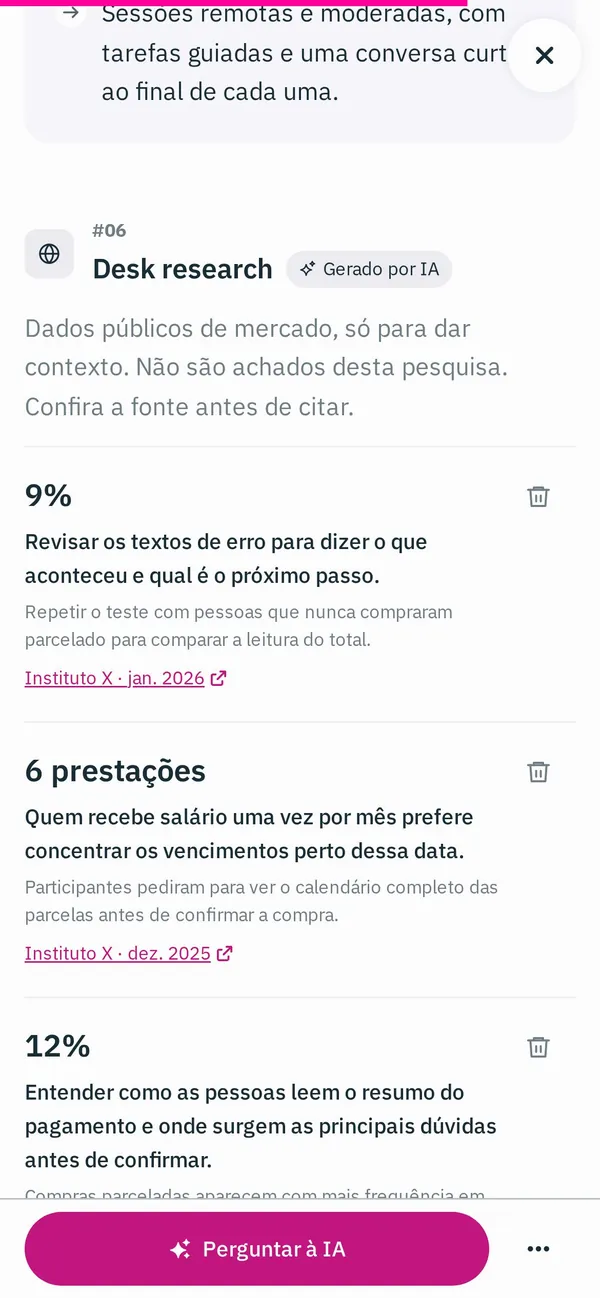
- #01Executive summaryThe paragraph most stakeholders will read.
- #02Context and methodWhy we asked, how, and who answered.
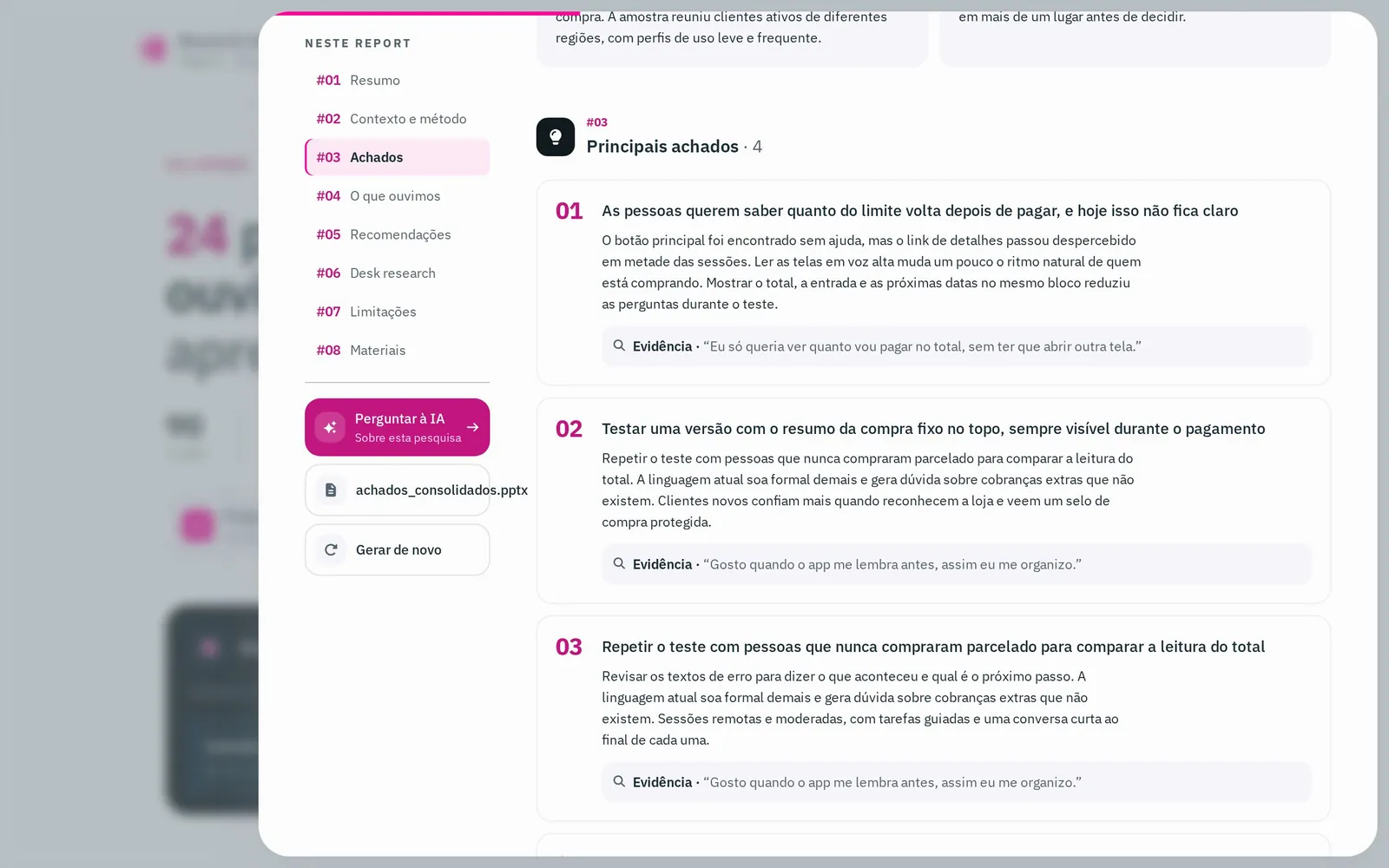
- #03Key findingsEach one with its evidence attached.
- #04What we heardQuotes, anonymised.
- #05What to do with itRecommendations and next steps, side by side.
- #06MaterialsDecks, data and recordings, each with its access level.
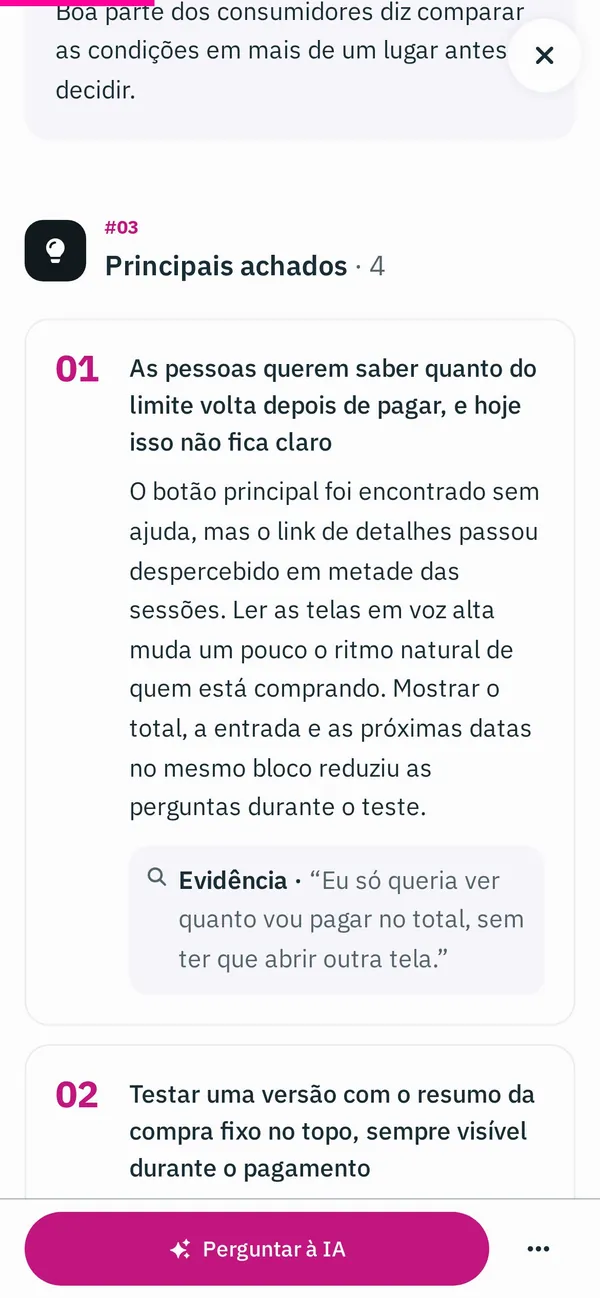
Carteira Digital ·
Teste de Usabilidade
O saldo da carteira é lido como “troco” de compras antigas, não como dinheiro. Por isso o atalho de adicionar saldo some: ninguém procura colocar dinheiro num lugar que parece um cofrinho de moedas.
Saldo parece troco, não dinheiro
7 de 10 participantes descreveram o valor da carteira como sobra de compras anteriores. Nenhum considerou usar o saldo para pagar uma parcela.
Evidência · “Isso aqui é tipo o troquinho que sobra, né? Não é dinheiro de verdade.”
O atalho de adicionar saldo compete com o banner
O botão fica logo abaixo de um banner de ofertas animado. Nos testes, o olhar ia direto para a oferta.
Every finding carries its evidence, so nobody has to take the summary on faith.
07 · Ask the archive
Questions in plain language, answers with sources.
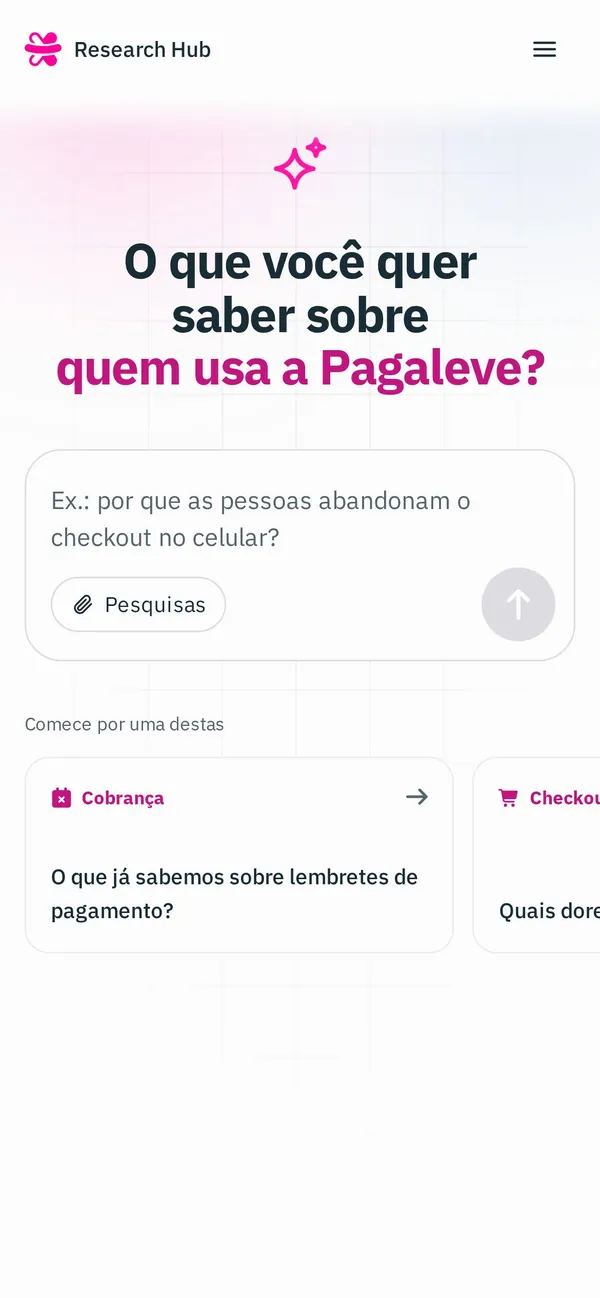
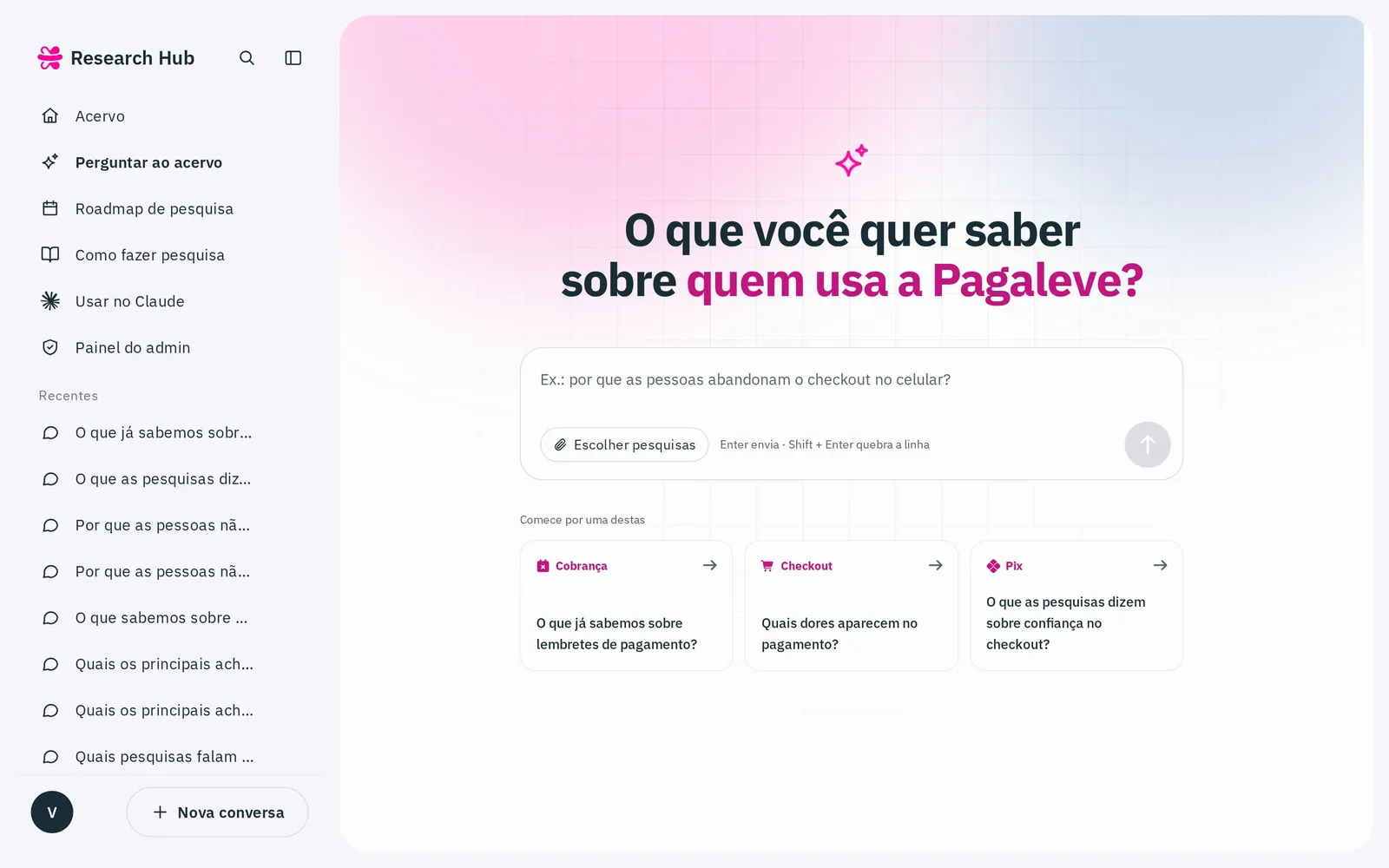
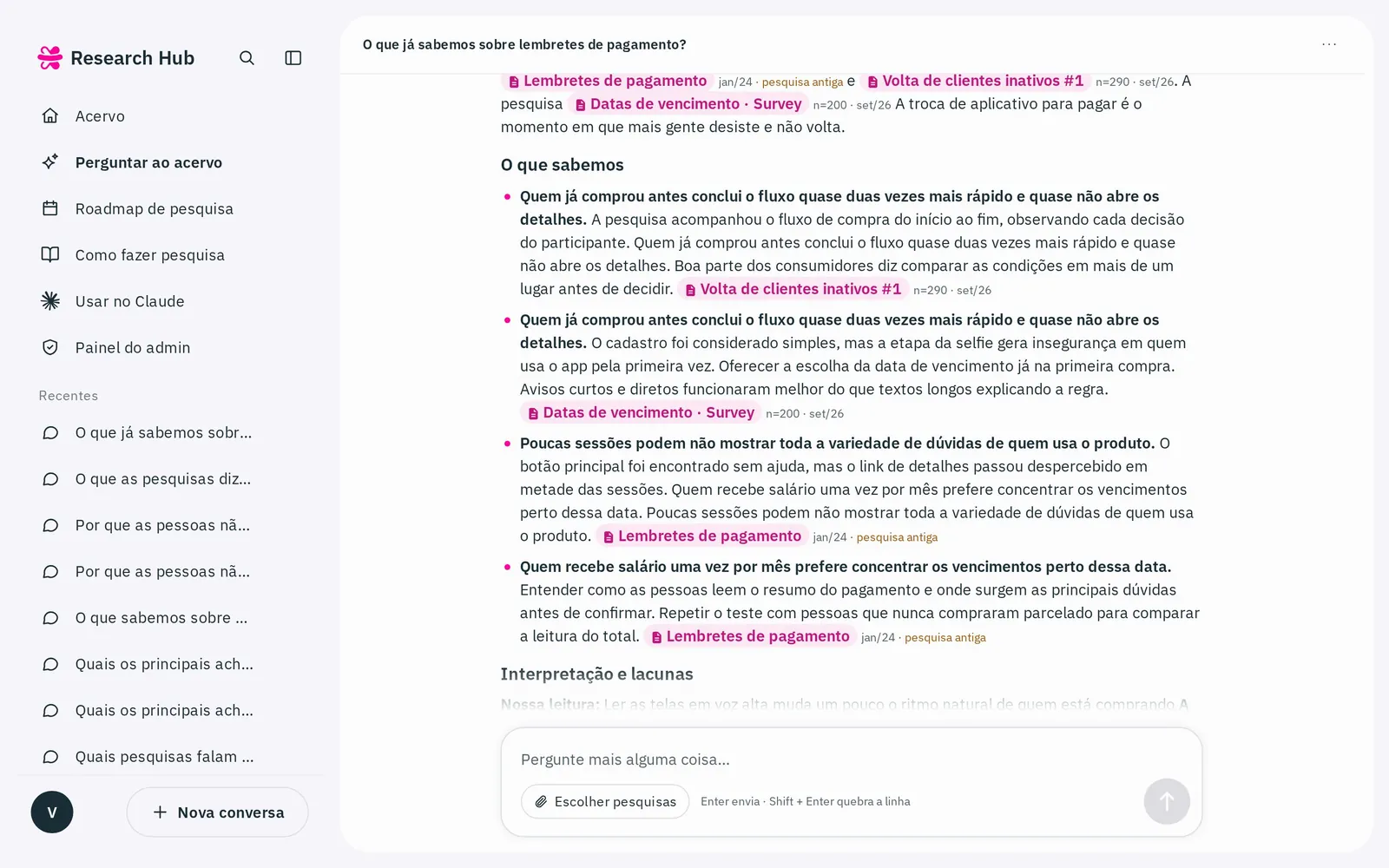
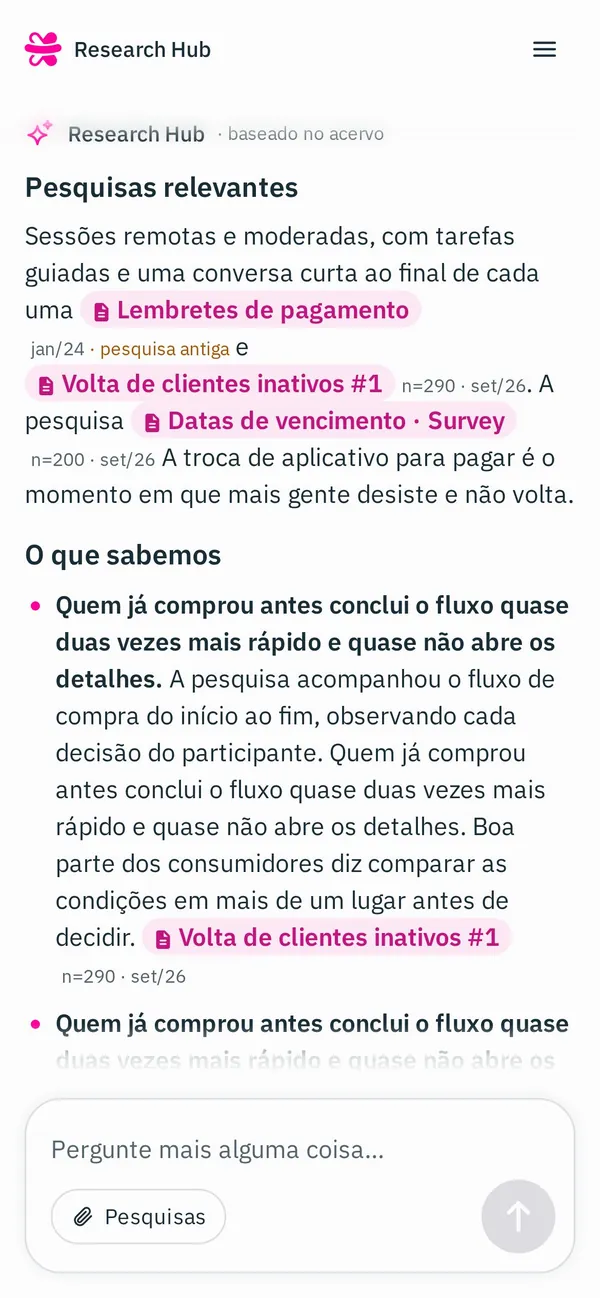
The chat only answers from the hub and tags each claim with the study it came from, one tap away from the source. It opens on a blank page with a few starting questions, and you can attach up to ten studies to limit the answer to them.
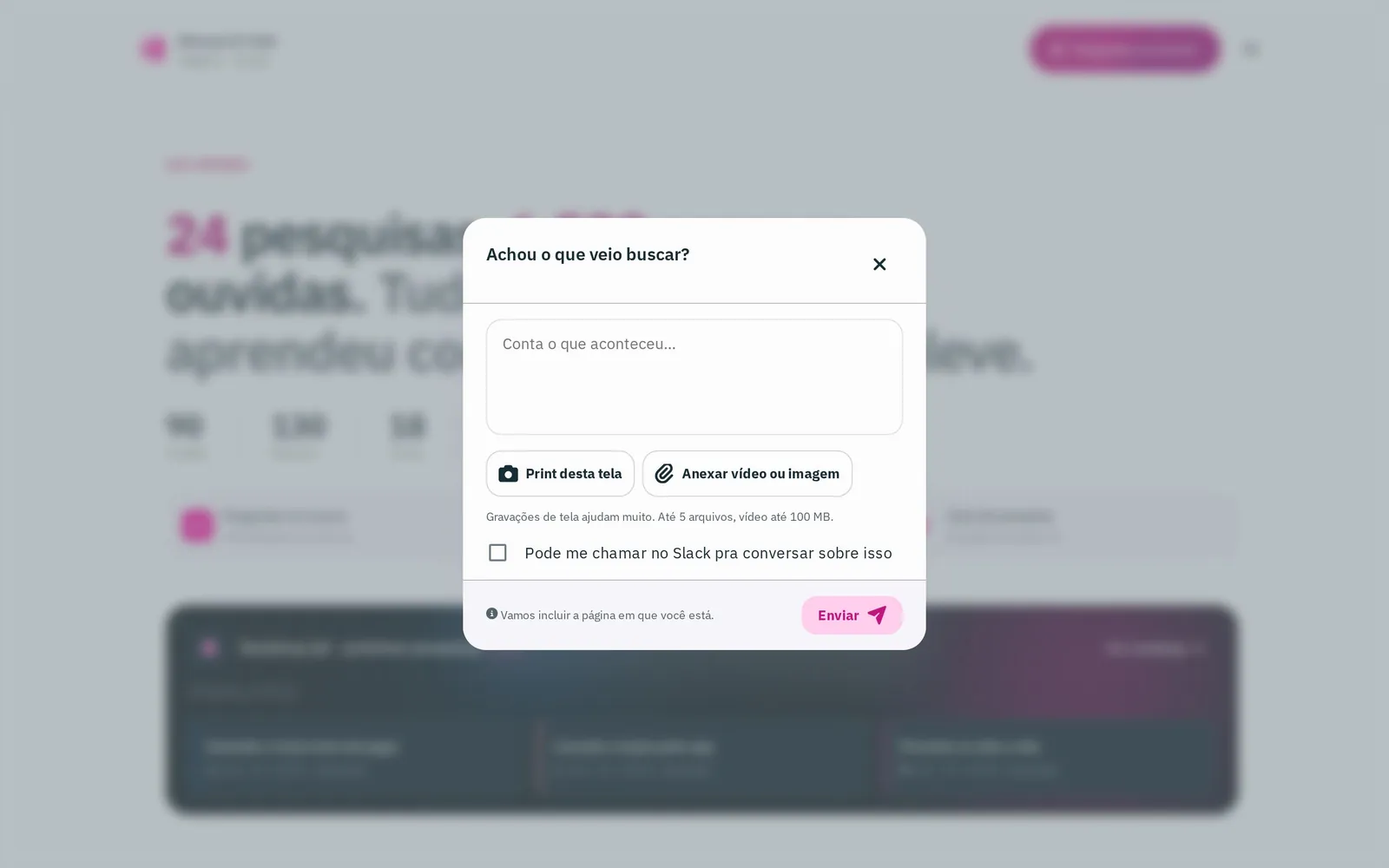
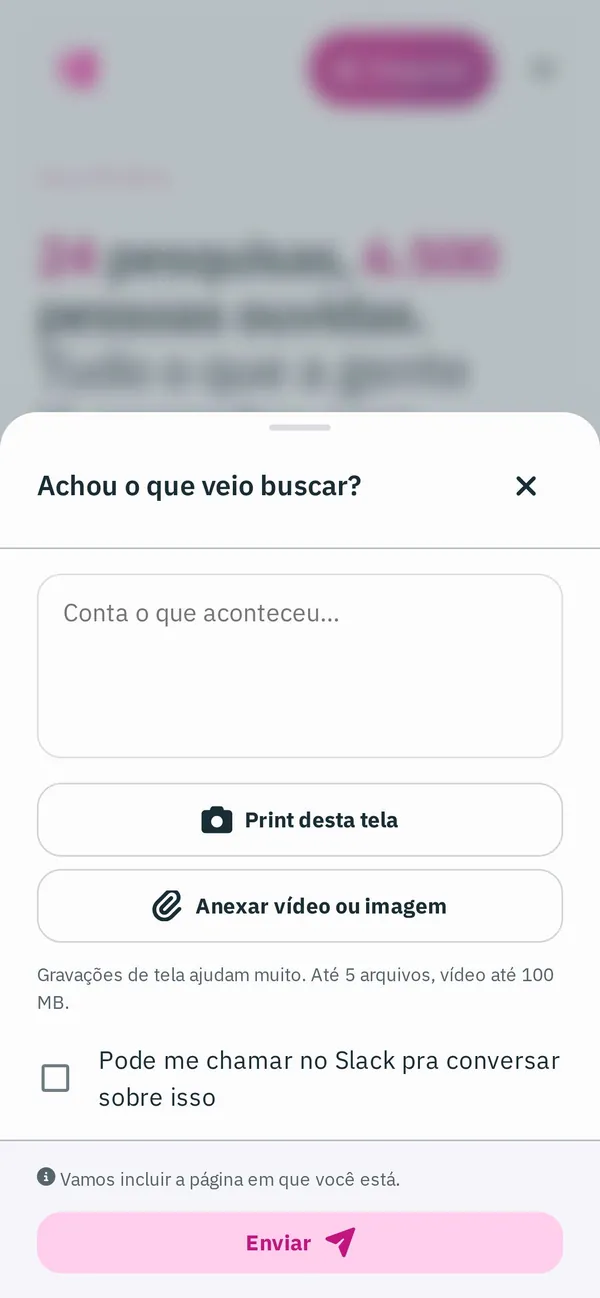
Later the chat became the hub’s home screen. One menu now covers the whole product, as a sidebar on desktop and a drawer on mobile: the archive, the roadmap, the guide and the Claude connector are one tap away, next to the conversations you want to keep. Every answer can be copied, redone or rated, and a thumbs down asks what was missing, so the chat learns from its misses.
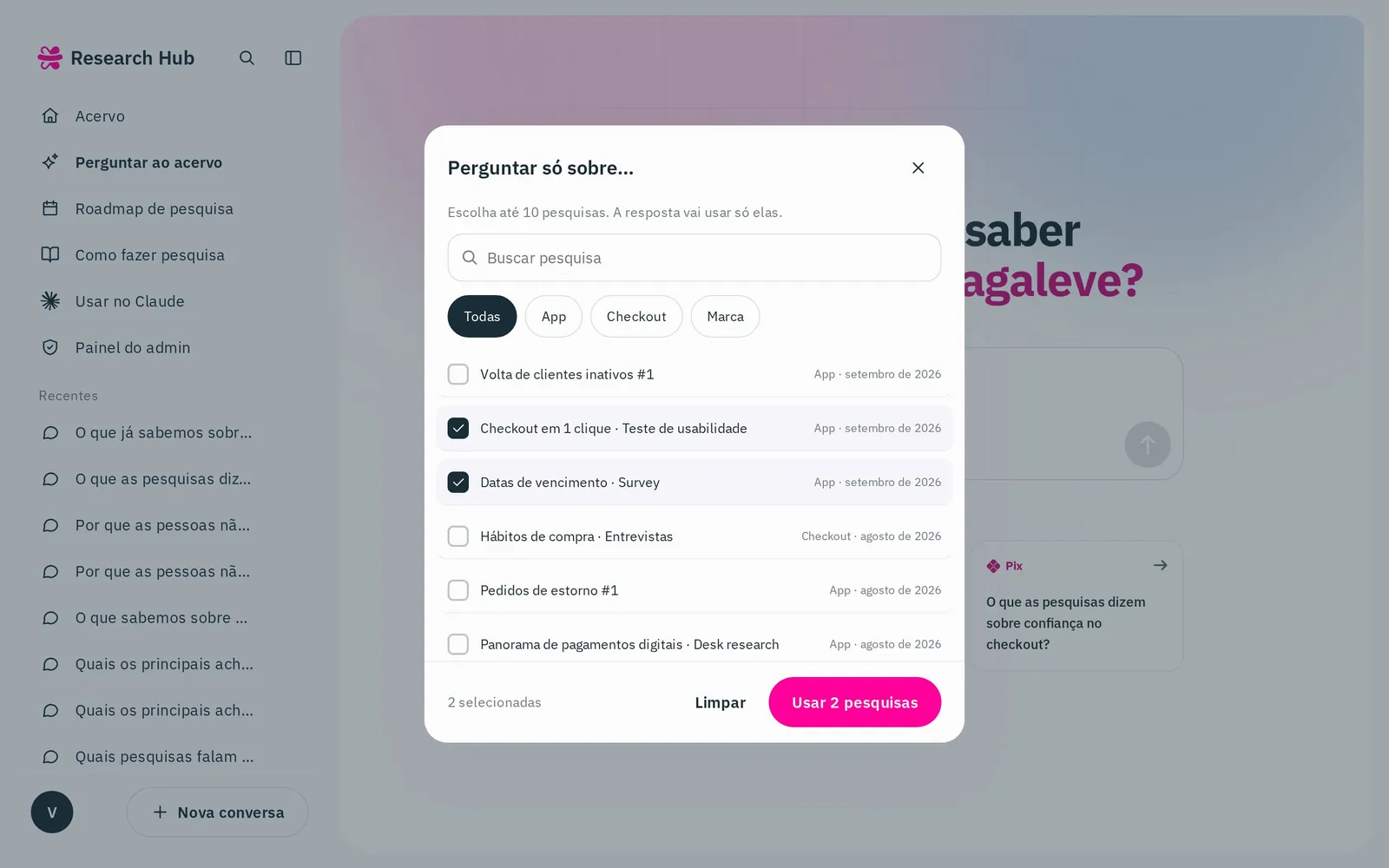
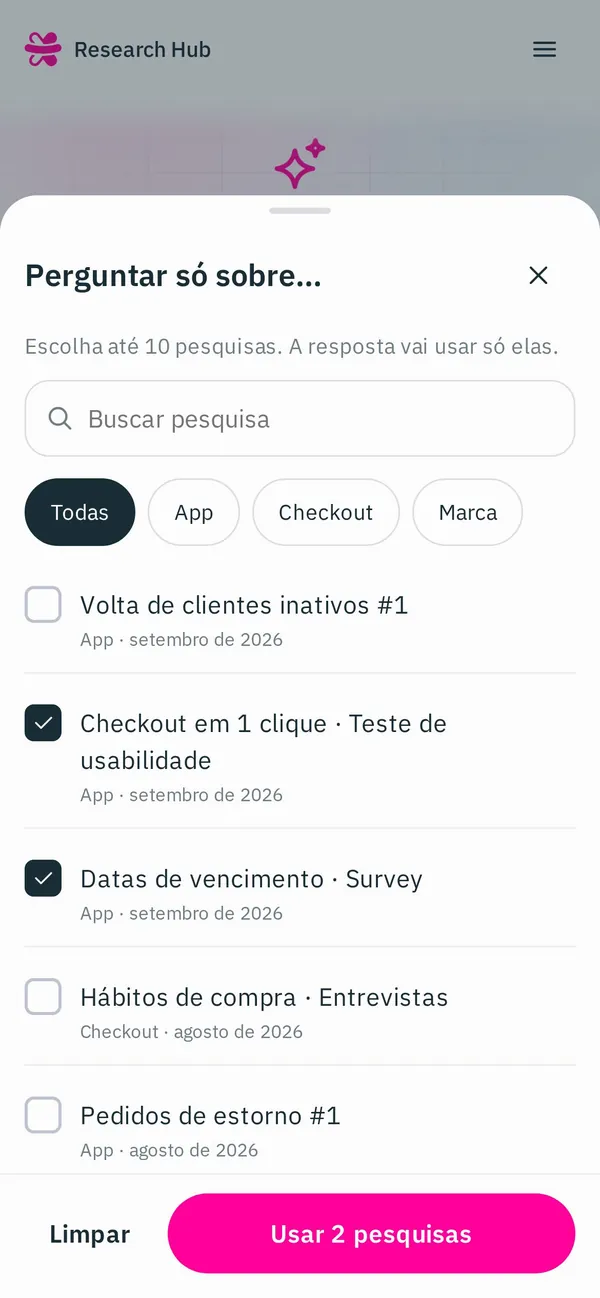
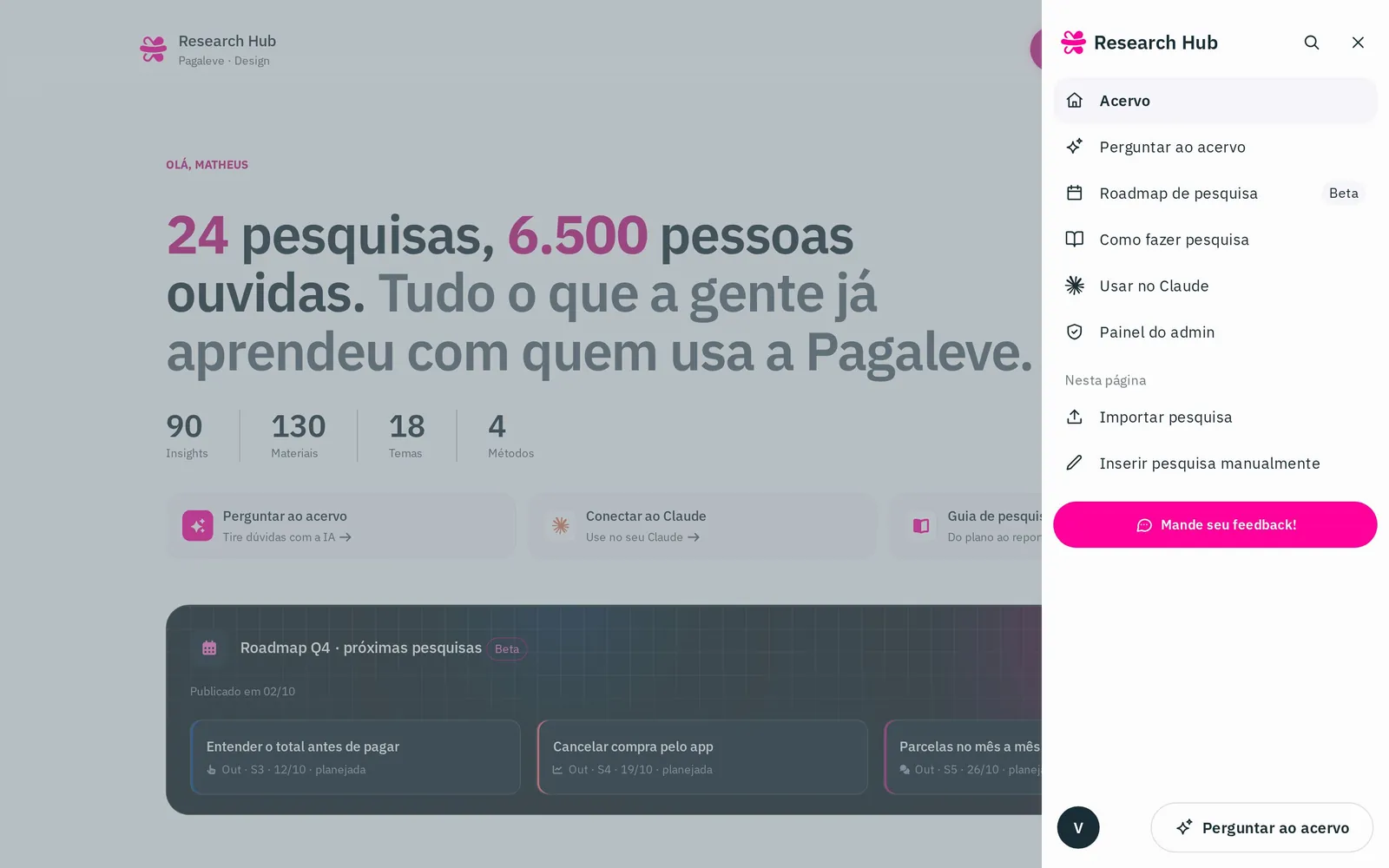
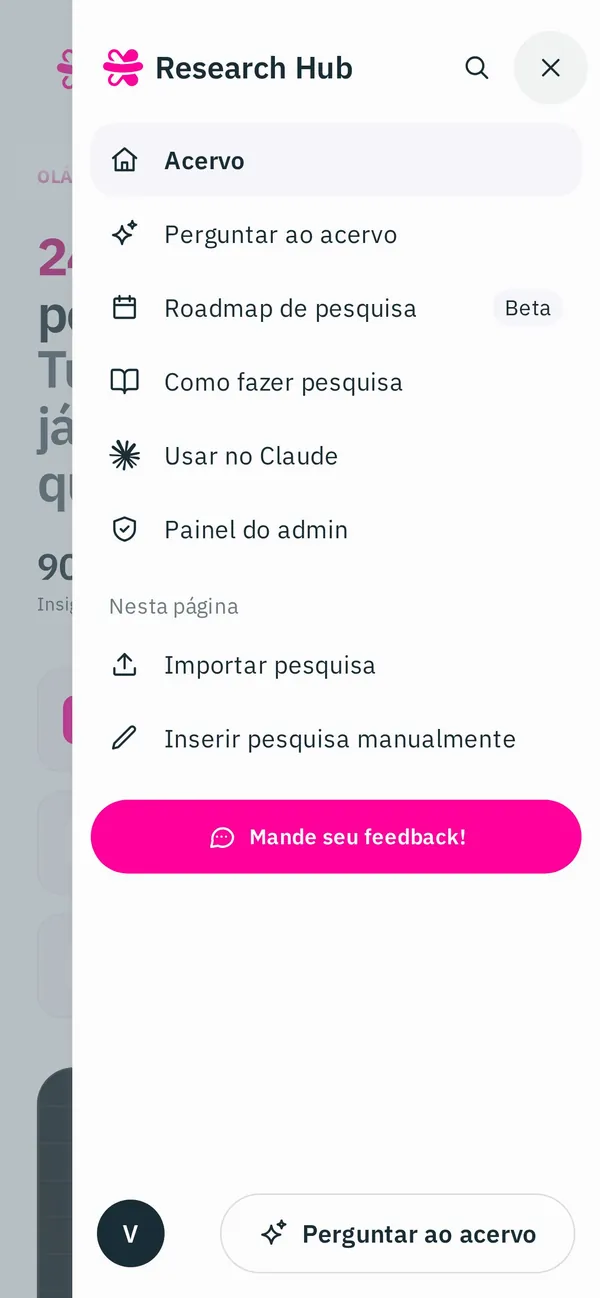
The same archive also lives outside the hub. The MCP server became a connector anyone at Pagaleve can add to their own Claude, signing in with a company account: tools to list studies, publish one, read the roadmap and update it. People ask in their own chat, and the confidentiality rules travel with the data, so confidential files stay locked there too.
Their own Claude
Asks in plain Portuguese, in the chat they already use every day.
Research Hub connector
Signs in with a company Google account. No account, no access.
list_studiesread_roadmappublish_studyupdate_roadmaproadmap owner onlyEvery study + the roadmap
Confidential files stay locked here too. The connector only shows what the site would show.
A gente já pesquisou alguma coisa sobre a primeira compra?
list_studies “first purchase” · 2 studies found
Sim, dois estudos tocam nisso. No Checkout no Celular a maioria saiu da compra para conferir o extrato e não voltou. No Carteira Digital quem tinha saldo não pensou em usá-lo. Nenhum dos dois ouviu quem ainda não comprou: essa pergunta segue aberta.
Example with fictional studies. The question asks “have we researched anything about the first purchase?”, and the answer names two studies and the question that is still open. The four tools are the connector’s real ones.
08 · The roadmap
Using the archive to plan next quarter’s studies.
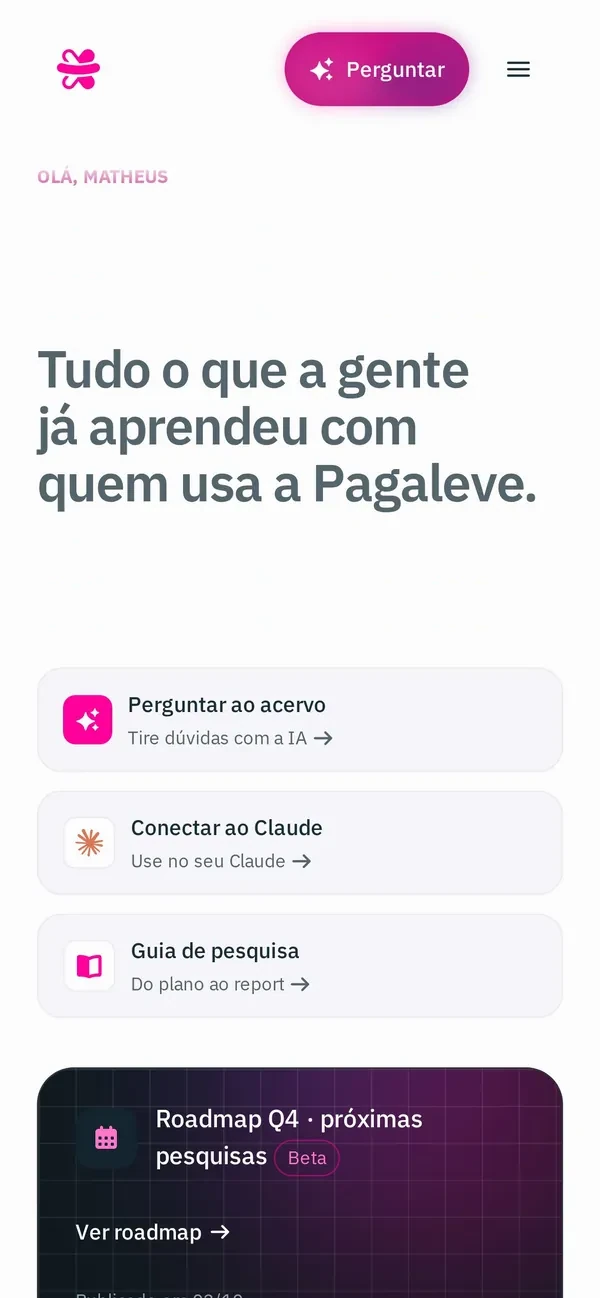
Once the archive was searchable, the team needed to decide what to research next quarter, and why. Planning used to happen in a spreadsheet, from memory. I added a research roadmap to the hub that starts from the archive instead, in three steps.
Ideas
AI suggests studies from what the archive already knows, reading only Internal content and citing the study behind each one. Anyone can add an idea and vote. Every idea arrives as a brief: question, decision it informs, audience and why now.
Priority
AI proposes impact and effort, each with a one-line reason. The team moves whatever it disagrees with on an impact × effort map, and the top of the list goes first.
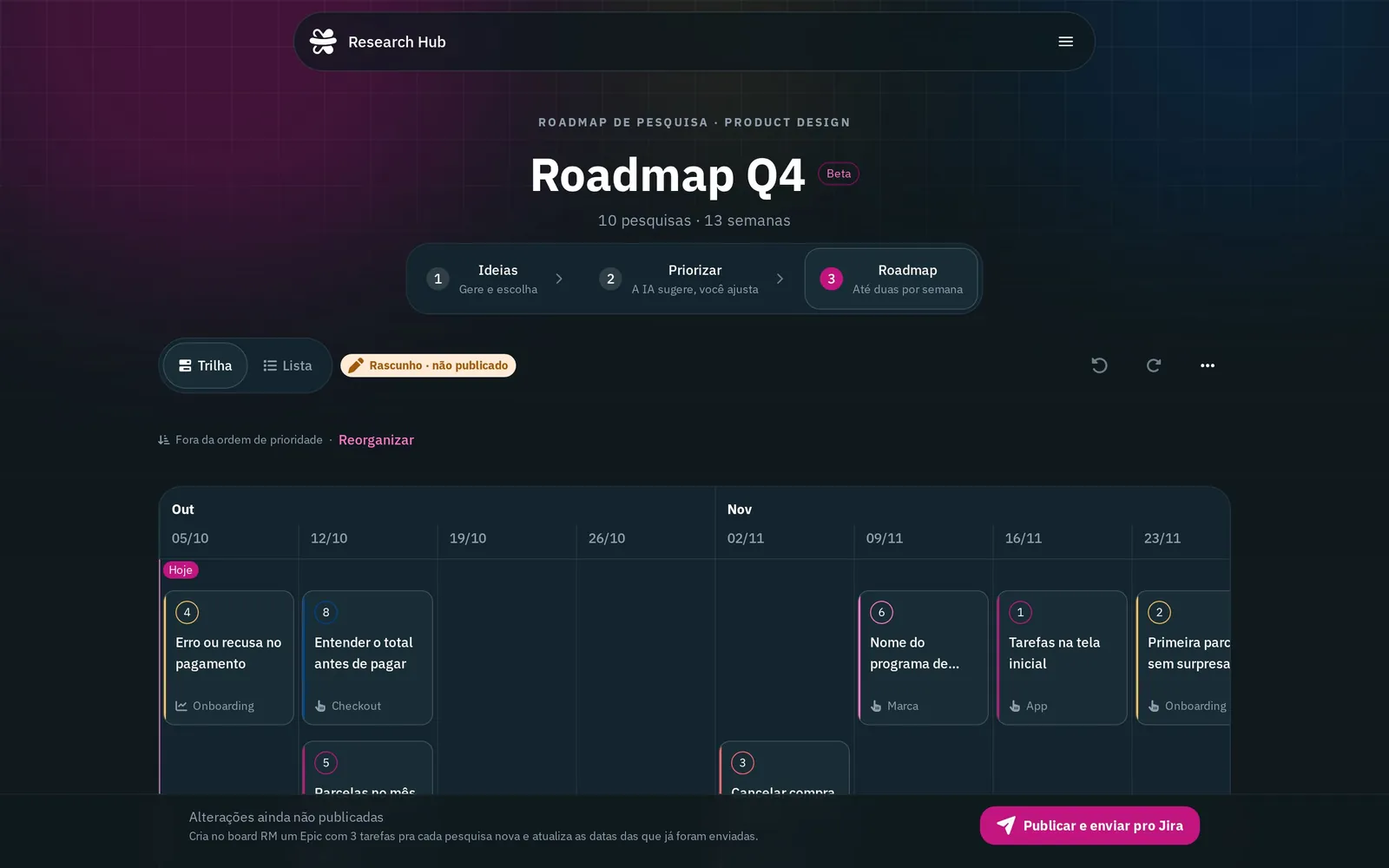
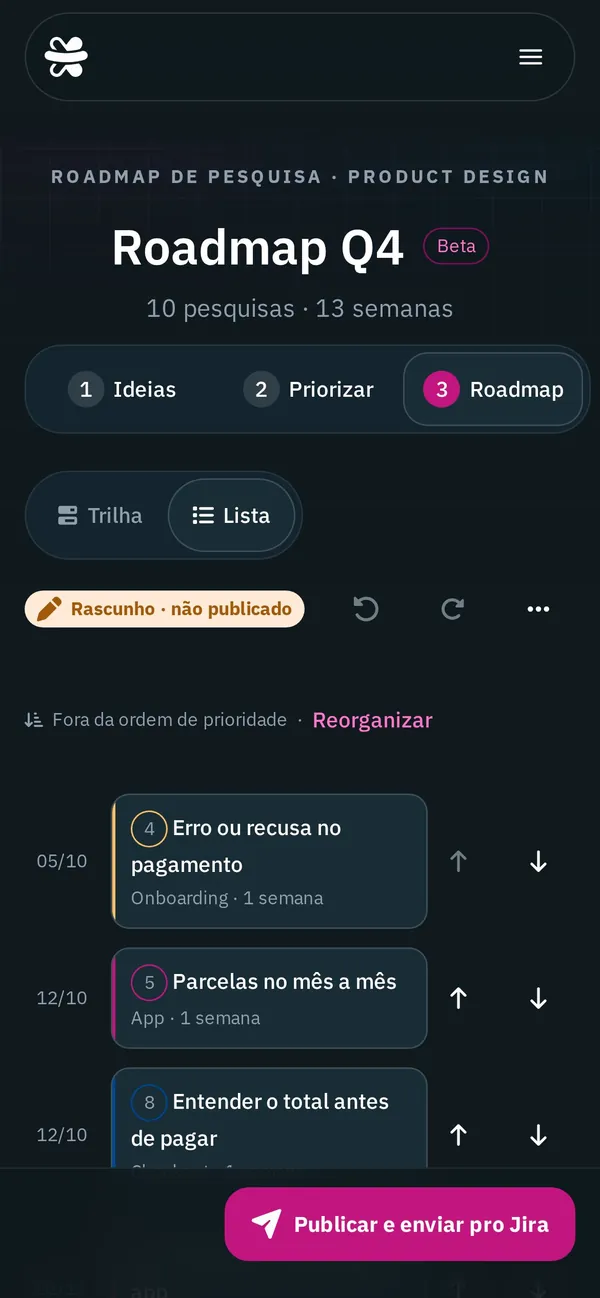
Calendar
The ranked list becomes one study per week on a timeline, with duration and status. Publishing sends each study to Jira with its question, decision and audience.
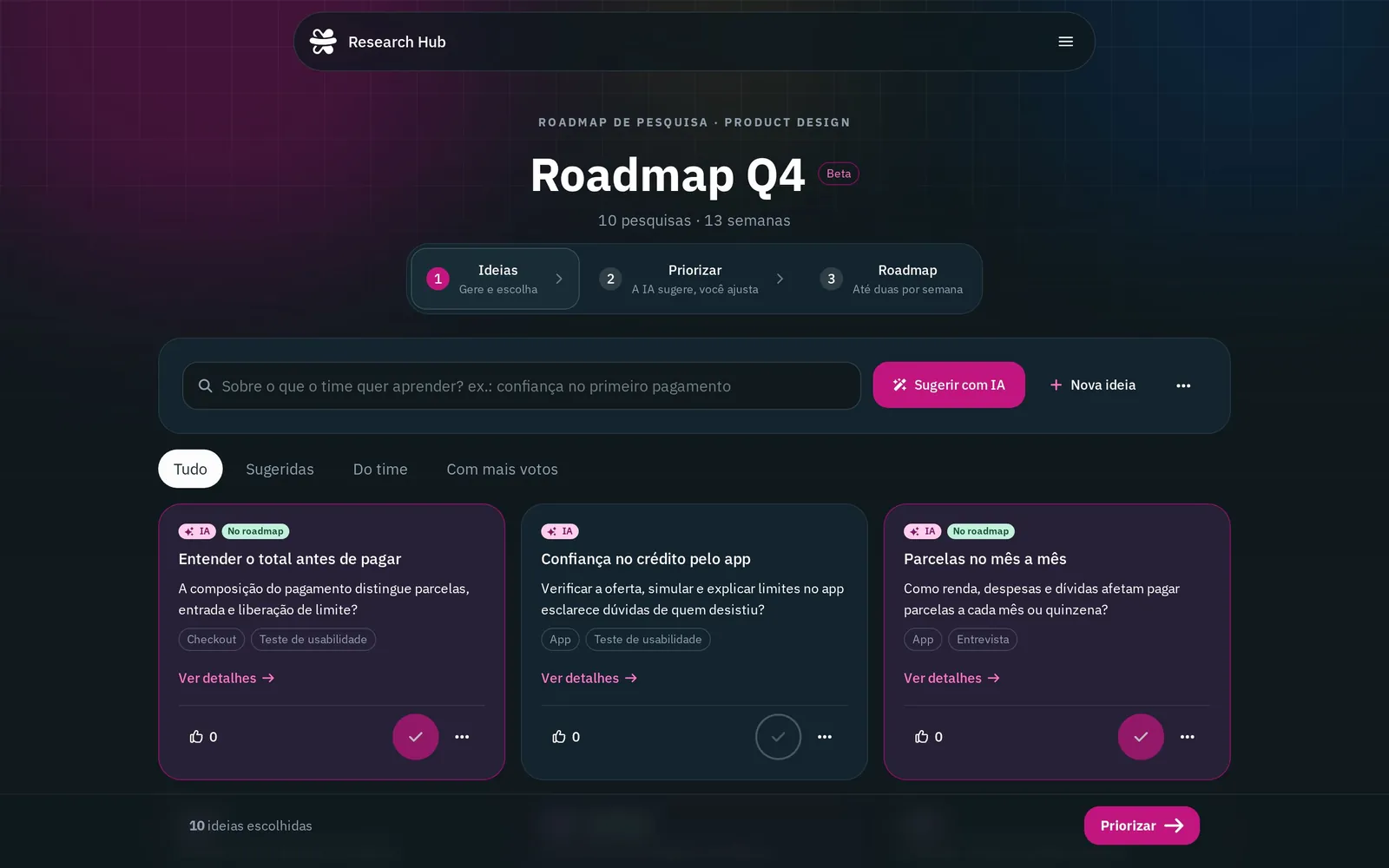
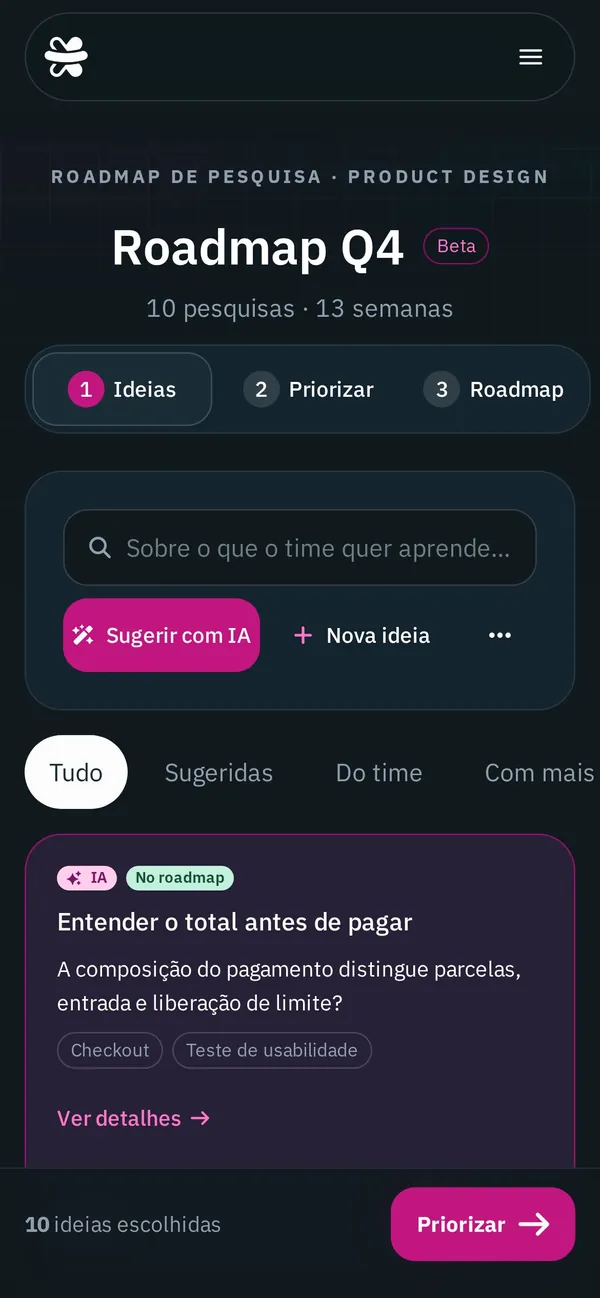
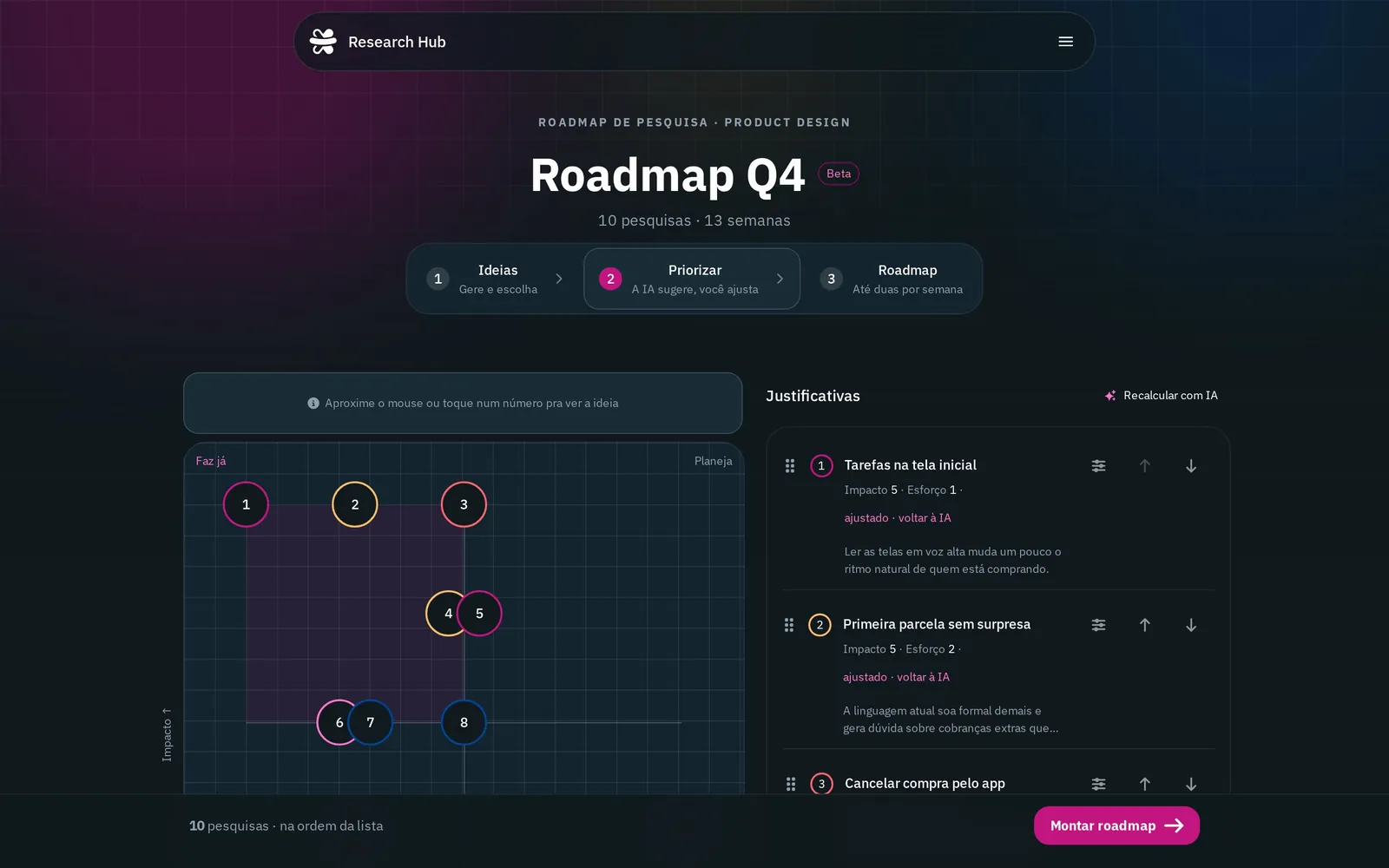
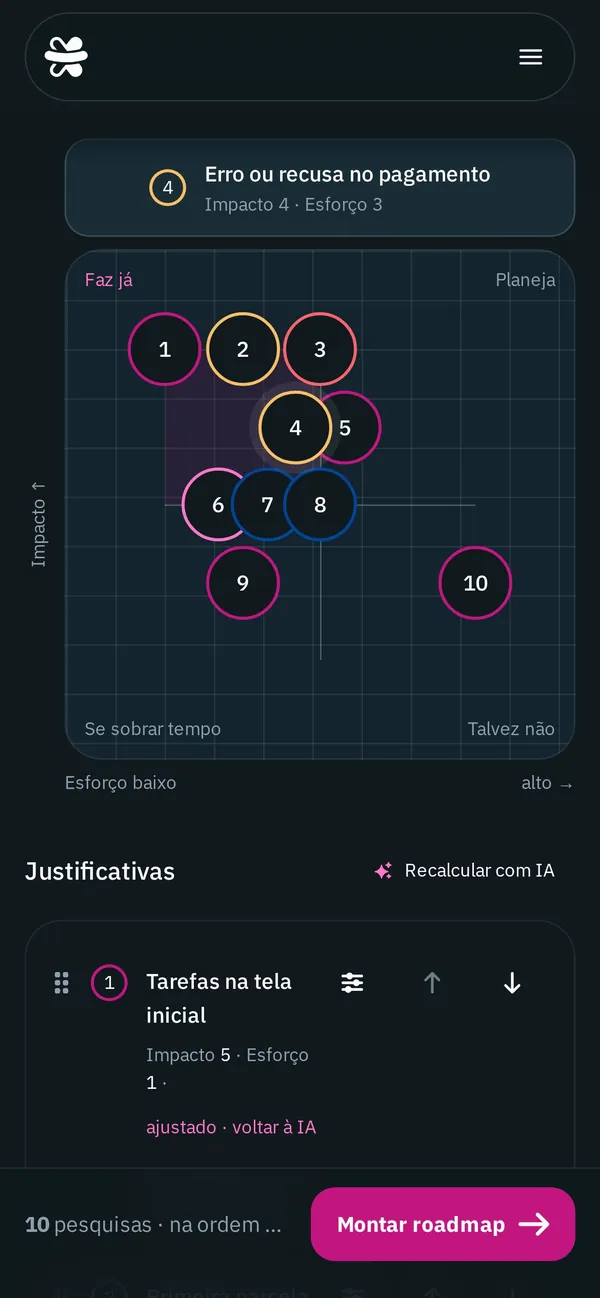
Ideas from the team and ideas from the AI sit side by side, and both face the same test: a question, the decision it informs and a reason to do it now. The AI only reads Internal content, so confidential studies inform the team without leaking into suggestions.
Then the ranked list becomes a calendar. A draft only becomes the plan when someone publishes it, and publishing is what creates the Jira cards, so the roadmap and the team’s backlog never drift apart. Three small guardrails came from using it: a warning when the calendar no longer follows the priority, a dry run that shows what would change in Jira before anything is created, and a sync that brings each card’s status back.
With that, the roadmap feeds the skill, the skill feeds the archive, and the archive feeds the next roadmap.
09 · Privacy by default
The system applies the LGPD rules, so people don’t have to remember them.
I designed the privacy rules before the first screen. The findings are open to the whole company, and data about the people behind them stays locked. Every rule is applied automatically: on import, inside the skill, and in what the roadmap’s AI is allowed to read.
Open what’s safe, lock what’s personal. The team still gets every insight.
Company accounts only
Google sign-in restricted to the company domain.
Raw data locks itself
Spreadsheets and recordings open only for the person who uploaded them.
Anonymised before it leaves
The skill strips name, email and customer ID, and cuts open answers that mention contact details.
Two levels, always visible
Every study and every file shows its tag: Confidential or Internal.
10 · What changed
From “who ran that study?” to “what do we learn next?”
The hub is in use. Designers with no research training have run studies with the skill and published them in the same format. People outside design look things up on their own, in the hub or from their own Claude. A quarter’s research roadmap left the hub as Jira cards. And the questions research had already answered stopped coming back to whoever ran the study.
11 · What I learned
With AI, more of my work became describing how the system should behave.
- Making publishing the last step of a study. It is the only reason the archive stays alive
- The privacy rules designed before the first screen, so the system remembers LGPD and people don’t have to
- Start with the roadmap and the archive together: the archive only paid off once it was used to plan the next study
- Put the connector in people’s own Claude from the first week, instead of expecting them to visit the hub
Writing the spec became the work.
With Lovable and Claude, a well-written description turns into working software quickly. So most of my work was describing behaviour precisely: what the system should do, what it should refuse and what it should always show.
I started from the constraints.
Starting from LGPD made the product simpler. Once “who can see this?” had an answer for every file, the rest of the design fell into place.
People trust what they can check.
A chat that answers about customers is only useful if people believe it. The source chip turned out to be the most important component in the whole hub.
An archive also needs a plan.
Once the archive was searchable, the team started asking what to learn next. The roadmap uses the same archive to answer that, so every new study starts from what we already know.
Next: satisfaction data every week.
I want to plug ongoing satisfaction surveys, run inside the product flows, straight into the archive. Then the hub gets new data every week, between studies too.
Real product screens, anonymised: studies, people, quotes and figures are fictional. Pagaleve’s findings, figures and internal data are confidential and don’t appear here.